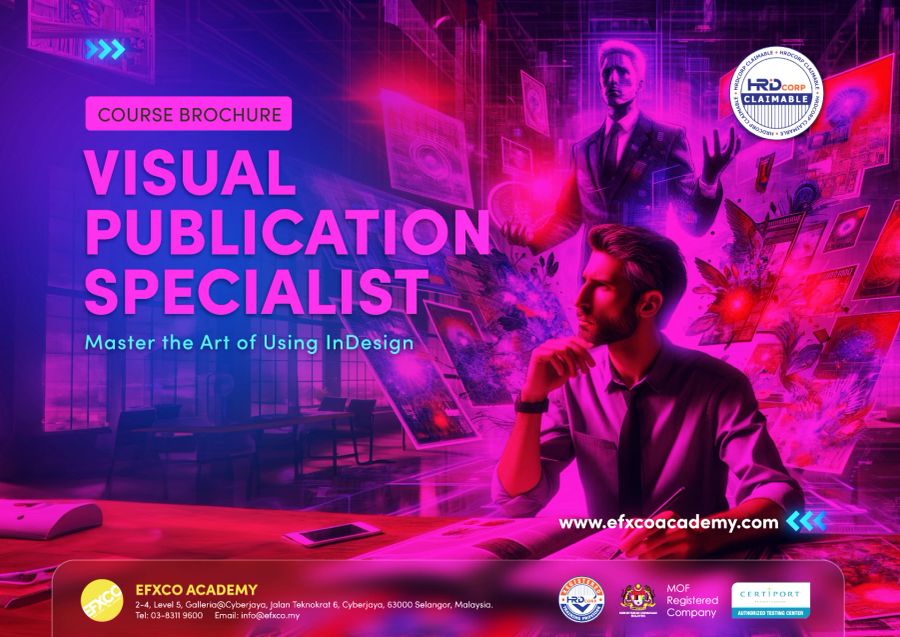
Visual Publication Specialist
with Adobe InDesign
Learn the layout tool behind every brochure, annual report and magazine. Turn text and images into clean, consistent documents and print-ready PDFs, from your first page to Adobe Certified Professional level.
- 8% SST included
- Breakfast and lunch every day
- Workstation with Adobe Creative Cloud
- EFXCO certificate of completion
Real projects, not just tools.
Every day ends with something you made yourself. These are the projects you will build in class.
Brochures and flyers
Folded brochures and flyers ready for the printer.
Annual reports
Long documents with styles, tables and contents pages.
Magazines and newsletters
Multi-page layouts with master pages and grids.
Company profiles
Polished profiles and capability decks for clients.
Interactive PDFs
Clickable PDFs with links, buttons and forms.
Print-ready files
Bleed, crop marks and preflight done right.
Bronze, Silver or Gold.
Same studio, same trainer, same small class. Choose how far you want to go. Every program starts from the basics.
Essentials
InDesign foundations
- Workspace, pages and navigation
- Document setup: size, margins, bleed
- Text frames, threading and flowing text
- Placing and fitting images
- Colour swatches for print and screen
Layout and publish
- Grids, guides and alignment
- Character and paragraph basics
- Build a two-page flyer and brochure
- Preflight and package
- Export print-ready and digital PDFs
Professional workflows
Work like a pro
- Paragraph, character and object styles
- Master (parent) pages and page numbering
- Tables and data from Excel
- Libraries and CC Libraries
- Reusable templates for your company
Beginner to advanced
Long documents and digital
- A multi-page annual report
- Automatic table of contents
- Books, sections and indexes
- Interactive PDF with links and buttons
- Working with print vendors
Portfolio and certification ready
- Your portfolio project, start to finish
- One-to-one review with your trainer
- Adobe Certified Professional exam objectives
- Timed practice questions
- Next steps: exam, freelance or in-house
The kind of work you will create.
 Sample
 Sample
 Sample
 Sample
 Sample
 Sample
Sample images showing the types of projects covered in class. Our student gallery is coming soon.
Built for people who create every day.
Corporate communications
Annual reports, newsletters and company documents.
Marketing teams
Brochures, catalogues and sales kits made in-house.
Publishers and printers
Faster, cleaner files that print first time.
Complete beginners
Never opened InDesign? Bronze starts from the first page.
Government and GLC staff
Reports and publications that look professional.
Lecturers and teachers
Teach layout and publishing with confidence.
Pick your date.
Public classes run at our Cyberjaya studio. Need another date, or a private class for your team? Call us to book.
Learn from Nadhirah Ishak.

Ts. Nadhirah Ishak
Nadhirah is an Adobe Certified Professional herself. She heads training at EFXCO, leads our Photoshop, Illustrator, InDesign and Firefly classes, and has prepared many participants who went on to pass their Adobe exams.
Gold covers the Adobe Certified Professional exam objectives for InDesign. Ask us about sitting the official exam at our Certiport testing centre in Cyberjaya.
Jobs that start with InDesign.
Layout and Publication Designer
Lays out magazines, books, catalogues and reports.
Corporate Communications Designer
Produces annual reports, newsletters and company documents.
Marketing Executive
Runs campaigns and produces brochures and sales kits in-house.
Prepress Artist
Checks and prepares files so they print correctly.
Typical monthly pay in Malaysia from public job ads and salary guides. See sources and career paths in our Creative Careers Guide.
Good to know.
Do I need any experience?
No. Bronze starts from the very first click in InDesign. Silver and Gold build on it in the same week, so complete beginners can take any of them.
Which program should I choose?
Bronze (2 days) covers the essentials. Silver (3 days) adds professional, faster workflows. Gold (5 days) takes you from beginner to advanced, with long documents and interactive PDFs, and covers the Adobe Certified Professional exam objectives. Most people choose Gold.
Can my company claim this from HRD Corp?
Yes, usually. EFXCO Academy is an HRD Corp registered training provider, and we prepare the quotation and documents for your grant application.
Is the fee all-in?
Yes. Fees include 8% SST, breakfast and lunch every day and a workstation with Adobe Creative Cloud. Bronze starts from RM 3,100 per person. Silver and Gold fees are in the free brochure.
Do I need my own laptop or InDesign licence?
No. We provide high-end workstations with Adobe Creative Cloud. To practise at home after class you need your own Adobe plan.
Do I get a certificate?
Yes, every participant gets an EFXCO certificate of completion. Ask us about sitting the official Adobe Certified Professional exam at our Certiport testing centre.
Can you train my whole team?
Yes. Private classes run at our Cyberjaya studio or at your office, for teams of 5 or more, with content tailored to your work.
Become a Visual Publication Specialist.
Get the brochure with the full outline, fees and dates. We handle the HRD Corp paperwork.